
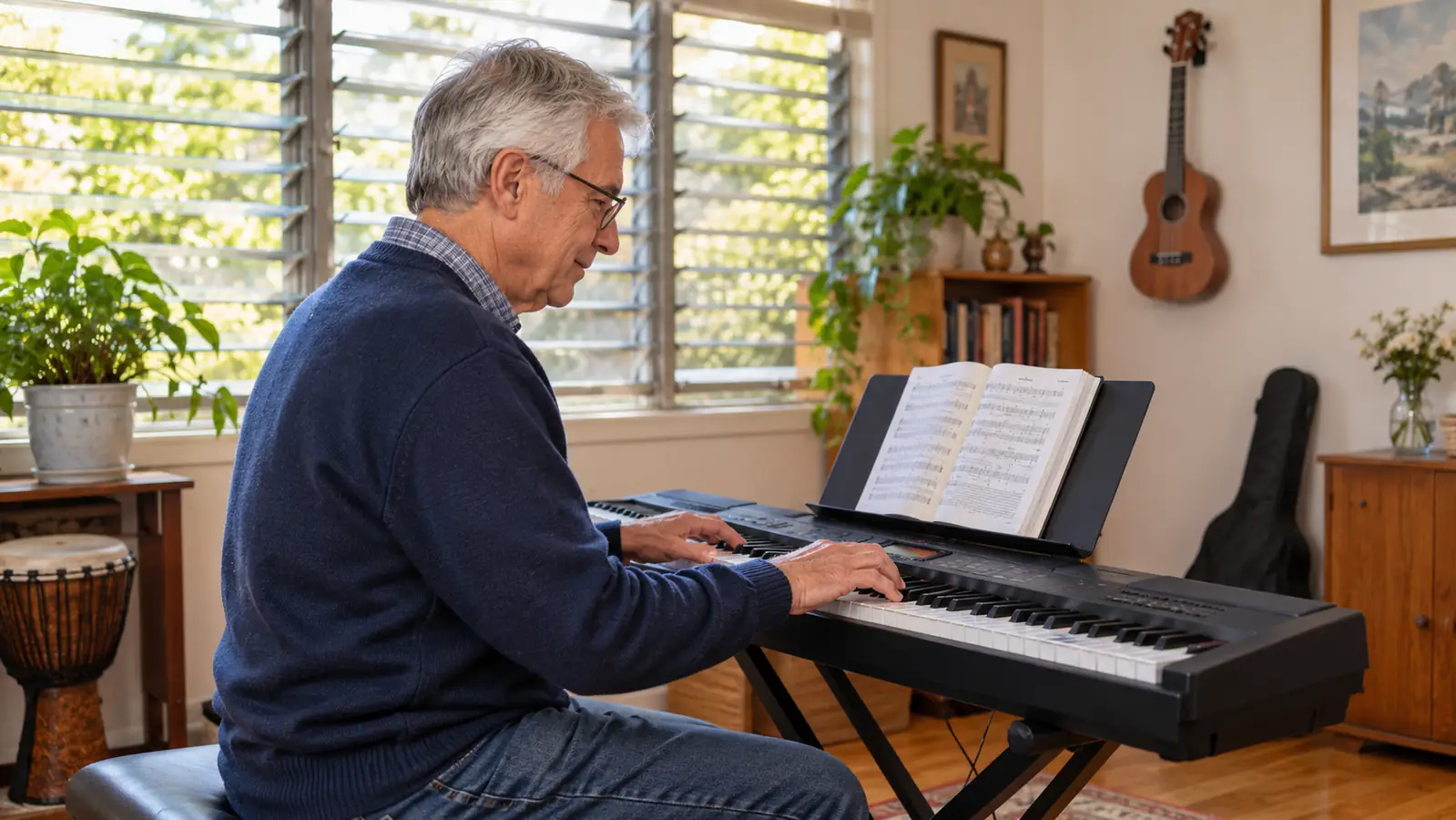
The sustain pedal is usually the last thing anybody buys and the first thing that makes a keyboard sound like a piano. I taught middle school music for most of my working life, and the moment a student's playing stops sounding like a typing exercise is almost never the day they get a better keyboard. It is the afternoon they finally put a pedal under their foot. Same notes. Same fingers. Entirely different room.
Fitting one is not complicated. There is a jack on the back of the instrument, a plug on the end of a cable, and a polarity switch that most people never touch. The trouble lives in the small details: a pedal that works backwards, a pedal that slides away during the second verse, a cable that snags on a chair leg. I keep an M-AUDIO SP-2 in the music room off my lanai and I have set it up on three keyboards now, including the one my granddaughter Kaia practices on. Here is the whole procedure, in the order I actually do it.
One thing worth saying before we start. This is a damper pedal. It lifts the dampers and lets the note ring, the same job as the right pedal on an acoustic upright. It does not add volume, it does not add effects, and it will not rescue a keyboard you do not like. What it does is let notes connect to each other, and that connection is most of what people mean when they say an instrument sounds warm.
One plug, and the notes stop sounding separate
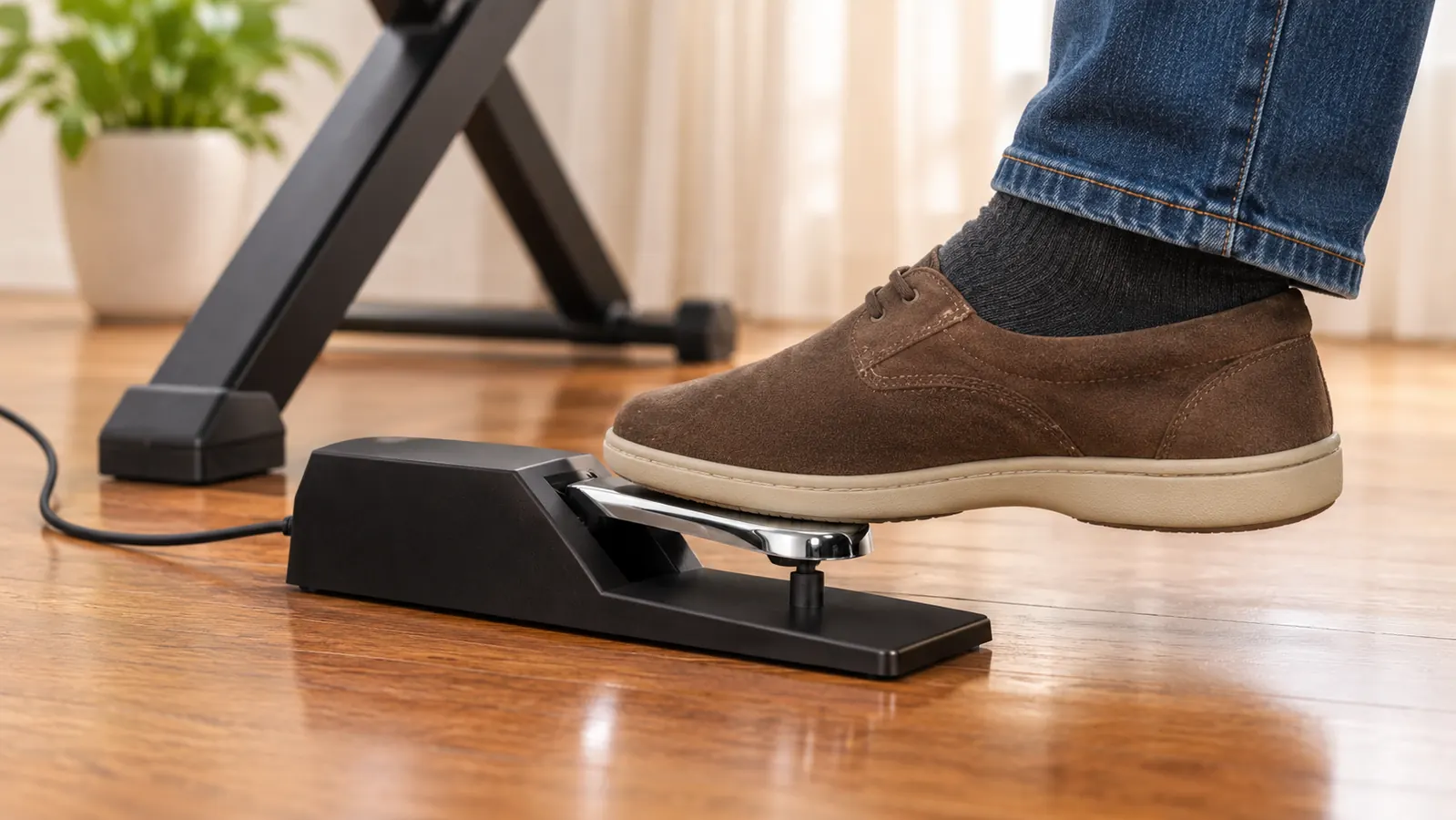
The M-AUDIO SP-2 is the plain version of a thing that does not need to be complicated. A chrome foot pedal with a firm action, a polarity switch for keyboards that read the signal the other way, and six feet of cable ending in a quarter-inch jack. Plug it in, set the switch once, and play.
Amazon Check Today's Price on Amazon →Step 1: Find the sustain jack and read the label
Turn the keyboard around and look at the back panel. Most instruments label the input SUSTAIN or DAMPER, and a few label it PEDAL and leave you to find out the rest in the manual. On a stage piano it is usually a quarter-inch hole. On a slim home keyboard it is sometimes a smaller jack, which means you need an adapter, and that is worth knowing before you order anything.
The M-AUDIO SP-2 ends in a quarter-inch jack on six feet of cable, so it plugs straight into any keyboard with a standard sustain input. If the only free jack on your instrument is marked ASSIGNABLE, look it up. A lot of keyboards let you set that jack to sustain in a menu. Some do not, and no pedal on the market will change that. You want to know which situation you are in before you spend an evening on it.
While you are back there, notice whether the input is a simple switch input or a continuous one. The SP-2 is a switch-style damper. It presses and releases. If your instrument offers graduated half-pedal response, this pedal will not give you those in-between positions, and knowing that up front saves you an afternoon of wondering why the pedal feels like a light switch instead of a brake pedal.
For comparison, the old upright in my living room that belonged to my mother has three pedals and the right one is the sustain. It is a lever with a felt damper rail on the other end. What you are plugging in is the electronic version of that same idea, and it feels roughly the same under the foot once the pedal is positioned properly.
Step 2: Set the polarity switch before you judge anything
Here is the part that catches people. The same pedal can behave in exactly opposite ways on two different keyboards. On one, pressing the pedal holds the note. On the other, pressing the pedal cuts the note dead and lifting your foot lets it ring. The pedal is not broken. The instrument is reading the switch the other way around, and it is a coin flip which way a given manufacturer wired it.
That is what the polarity switch on the M-AUDIO SP-2 is for. It sits on the body of the pedal where a toe can reach it, and it has two positions. Plug in, hold a chord, press the pedal. If the sound stops, slide the switch the other way and try again. Five seconds. This is the single most common reason a working pedal gets a bad review from somebody who never found the switch.
Set it once and leave it. You should not need to touch the switch again unless you move the pedal to a different keyboard. If you do move it, check polarity first, before you form any opinion about how the pedal feels.
Step 3: Put the pedal where your foot lands, not where the cable reaches
Sit at the keyboard the way you actually sit when you play, both feet flat on the floor. Your right foot belongs slightly right of centre, heel down, with the ball of the foot resting on the pedal. Find that spot with your body first, then put the pedal there. Most people do it backwards and end up reaching.
The SP-2 measures about ten and a half inches long and three inches wide, and it weighs a little over fourteen ounces. The body is rubber, which matters more than it sounds. A firm pedal on a bare wood floor will creep away from you over the course of a Sunday service. Rubber sits still. I have not had to chase mine across the room once.
Push it far enough under the stand that your heel can stay down while the ball of your foot works. Too close and your whole leg lifts, which makes your playing tense within a verse. Too far and you will lean forward to reach it, and your lower back will file a complaint by the second hymn. There is a sweet spot roughly a foot in front of the bench and slightly to the right.
Smaller players need their own arrangement. Kaia is nine, and when she practices at my house the pedal has to come closer and her bench has to come up, or she ends up pedalling with a straight leg. Adjust the setup for the person playing, not for the room. It takes ten seconds and it is the difference between a child learning to pedal and a child learning to hate the pedal.

Step 4: Run the six-foot cable so nothing pulls on it
Six feet is longer than it sounds and shorter than you want when the jack sits on the far side of the keyboard. Run the cable from the pedal back along the floor, around the outside of the stand leg, and up to the jack with a loose loop of slack near the instrument. The loop is the part people skip, and it is the part that matters.
That slack does two jobs. It keeps the plug from being pulled sideways inside the jack, which is how inputs get loose over a period of years. And it means that when somebody catches a foot on the cable, the pedal moves instead of the keyboard. One of those is an annoyance. The other is a repair.
In my house the somebody is usually Kaia, who crosses the music room at a speed that does not allow for looking down. I keep the run of cable tucked against the wall and the pedal roughly under the middle of the stand, out of the traffic path. If your floor is slippery or the room is busy, a strip of gaffer tape over the cable where it crosses open floor is worth the two minutes.
Step 5: Test it on a real piece of music, not a scale
A scale will tell you the pedal works. It will not tell you whether you can use it. Play something with chord changes you can hear, a hymn or a slow ballad, and change the pedal on the chord change rather than on the bar line. Lift as the new chord arrives, press again immediately. You want a seam nobody can hear.
Listen for two failures. The first is mush: too much pedal and the harmony of the previous chord smears into the new one, and the whole thing sounds like a piano played underwater. The second is a dry, choppy sound where you are lifting too early or too often. Both of those are technique, not hardware, and no pedal is going to fix them for you.
The action helps, though. The chrome foot pedal on the SP-2 has a firm, springy feel and comes back cleanly, which makes the lift-and-press easier to time than a soft pedal that lags behind your foot. That is the whole reason to care about pedal action. It is not about luxury. It is about whether your foot and your hands can agree on the same rhythm.
Give it a week before you form an opinion. Pedalling is a foot skill, and feet learn more slowly than hands. My rule for students was fifteen minutes of pedalled playing a day for a week and then decide. Almost nobody comes back hating the pedal. Most of them come back annoyed that they waited.
What Else Helps
A pedal is one link in a chain and there are a few small things around it that matter as much. The first is the floor. If the keyboard sits on deep carpet, the pedal sinks and your ankle does extra work all evening. A thin board or a flat rug that does not compress under the foot solves it, and you will feel the difference in the first verse.
The second is bench height. If the bench is too high, your heel lifts and you lose the anchor you need in order to control the pedal at all. Sit so your thighs are roughly level and both feet rest flat. It sounds like a minor detail until you have played four hymns with your foot hovering in the air, and then it sounds like the only detail.
The third is the air. Kaneohe is humid, and humid air is hard on instruments. Keep the keyboard and the pedal out of the direct path of the trade winds through an open window, and wipe the pedal down now and then. Rubber and warm air get along fine. Metal jacks and salt air do not, so make sure the plug goes all the way in and stays there rather than sitting half out where the contacts can corrode.
The fourth is not gear at all. If you want to get better at pedalling, record yourself on your phone playing one verse and listen back. You will hear the mush immediately, and you will hear exactly which chord you are smearing. That is worth more than any upgrade, and it asks nothing of you but the nerve to listen.
Press a chord. Press the pedal. If the sound stops, flip the polarity switch. Five seconds, and it is the reason most of these pedals get sent back.
The room sounds different the moment the notes connect
The M-AUDIO SP-2 is the plain version of a thing that does not need to be complicated: a chrome foot pedal with a firm return, a polarity switch for keyboards that read the signal the other way, and six feet of cable with a quarter-inch jack. If your keyboard has a sustain input, it will work.
Amazon Check Today's Price on Amazon →